
Reference
Organize Graph Layouts, Repeats and Row Notes
Use selection and canvas controls carefully, then preserve a clear legend and working notes for your graph.
Keep a Version Before Rearranging
Save project downloads an editable JSON file. Give it a useful filename on your device before a major layout change. Automatic saving keeps one draft per maker in this browser; it is not a version library. A second tab can conflict with that draft, so resolve the warning before continuing.
Select the Whole Motif
Select an area containing the motif and any intentional spacing. Copy and paste includes blank cells, so a pasted rectangle can erase cells underneath it. Moving an area also changes its source. Review the target and overwrite prompt, then use Undo if the composition is not what you intended.
Review Mirrored and Rotated Repeats
Horizontal and vertical mirror actions reverse the selected design; rotation turns it clockwise by 90 degrees. Check letters, directional shapes and notes after the change. These operations transform cells, not the meaning of a stitch or block. Leave enough canvas room for the entire transformed selection.
Expand or Crop the Canvas Deliberately
Resize existing canvas keeps the artwork at the selected anchor. New cells are empty. A crop can remove occupied cells and row notes; the preview reports what will be lost. Bottom-left anchoring is useful when preserving the position of crochet row 1. Resizing is not image scaling and clears completion marks.
Separate Notes from Completion Marks
A row note describes your project; a completion mark records your progress. Enter and save a short note in Design mode. In Make mode, mark a row complete only after working it. Editing affected rows removes their completion marks, but does not turn an old note into a newly validated instruction.
Check the Export after a Layout Change
Inspect page ranges, material labels and the row guide. Download JSON and export a fresh PDF after your final edit. PNG is useful for a visual overview and CSV for material counts, but neither replaces the editable project or a complete technique-specific instruction set.
Before you start
- A backup exists before rearranging.
- Blank selection cells will not erase wanted work.
- Cropped notes and completion marks have been reviewed.
- The final export matches the final layout.
Crochet graph Questions
Are repeats linked after copying?
No. A pasted copy is an independent area of cells. Later edits to one copy do not update the others.
Can I reopen an exported PNG as the same project?
No. Uploading it performs image conversion and cannot recover the original notes or settings. Reopen the JSON project instead.
Practice with a Working Digital Sample
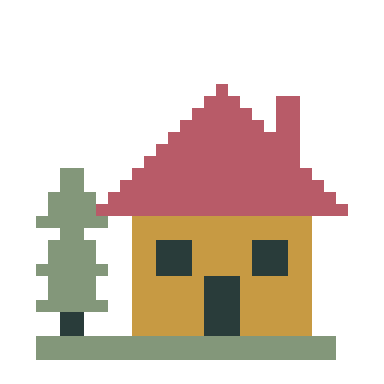
Pine cottage · 32 × 32 · Blank-first color grid · Stitch or block labels · Custom palette, cell proportions and row notes
Crochet graph Guides & Help
Design a Crochet Graph from a Visual Reference →
Start with a blank grid, define stitch or block units and build a motif with labels and row notes.
Add Names and Short Messages to Your Pattern →
Preview block lettering, fit it to your chart and preserve the result in any of the five makers.
Save, Back Up and Resume Your Patterns →
Save local or cloud projects, keep editable backups and resume row progress across all five makers.
Choose PDF, PNG or CSV and Check Print Settings →
Pick the right export, match paper settings and review page boundaries before making your project.
How to Design a Custom Crochet Graph →
Build a blank-first graph with custom color labels, cell proportions and saved row notes.