Turn a Photo into a Fuse Bead Pattern →
Crop a subject, compare bead palettes and review small details before planning your pegboards.
 MotifDraft
Your pattern, your pace
Turn an image into a bead chart with editable colors, pegboard sections and bead counts.
Square fuse-bead grids · Perler Midi 5 mm or custom colors · Up to 12 colors per chart · 14 / 29 peg sections

Originals, made for making
Follow each design from original artwork to an editable chart and an illustrated craft finish. Open the chart to adjust colors, edit cells and print your own version.
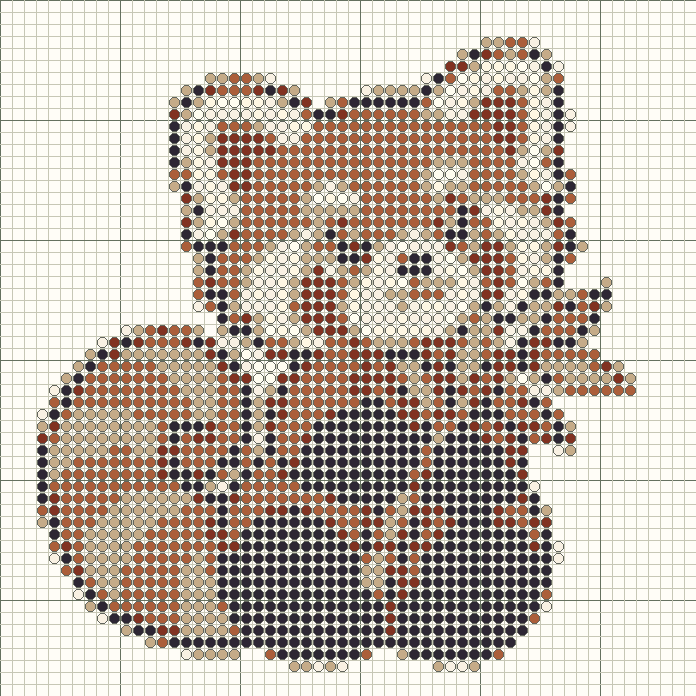
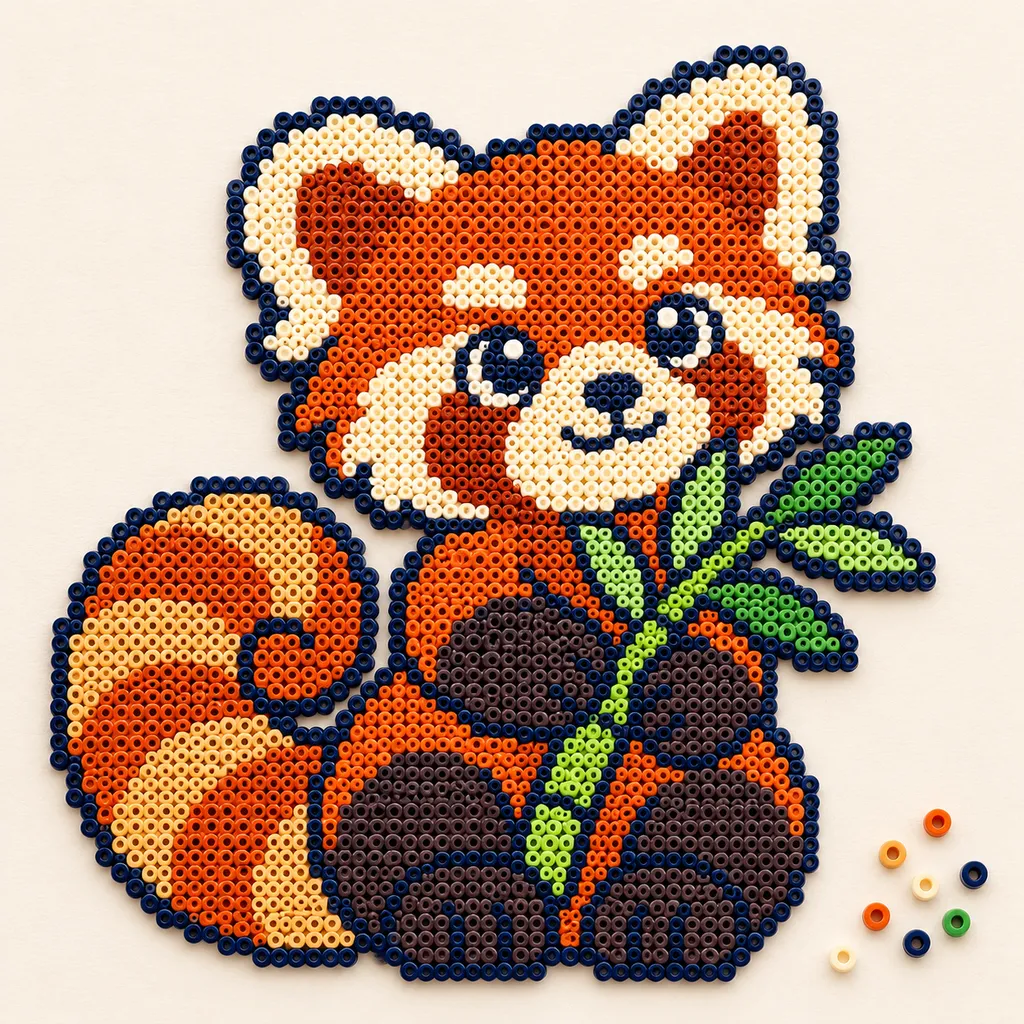
AI mockups illustrate a possible finish, not an exact rendering of the chart. The editable chart is actual tool output; physical making has not been tested.
Upload an image or begin with an empty grid. Choose 8–160 beads per side on Free, or up to 400 with Maker Plus, crop unnecessary background and limit colors. Transparent pixels become empty pegs.
Choose 103 Perler Midi 5 mm community references or your current custom palette. Perler entries retain the color name, reference number and retail SKU in saved projects and printouts. Check physical beads and supplier availability; RGB values are approximate.
Generate or match using up to 12 colors. Search the Perler catalog by name, reference or SKU to add or replace a chart color. Custom mode lets you label your own references; inventory and other brands are not supported.
Paint, erase, fill or merge colors. Each occupied cell counts as one bead. Replacing a material updates all its cells; replacing with an existing chart color merges the entries. Undo is available.
Choose a 14 × 14 or 29 × 29 square section. Strong boundaries identify each board and the printout gives global row and column ranges. Count the pegs on your own board before choosing a size; empty board sections remain part of the rectangular layout.
The live color key totals occupied cells. Print one reference chart per board section with numbered rows, symbols and a 50 mm calibration line. This version does not offer an actual-size placement template.
The chart shows bead positions and board boundaries. AI effect images illustrate the intended appearance; no physical bead sample has been validated. Follow the manufacturer's assembly and fusing instructions.
Add a name or short phrase with block lettering, preview its size and place it as editable cells. My projects keeps separate charts, notes, print settings and completed rows in this browser. Save a copy for a variation, or archive and restore older work.
Keep an editable JSON backup, choose A4 or Letter for PDF printing, download a PNG overview or export material counts as CSV. Make mode tracks completed rows; this browser also keeps one automatic draft per maker.
Crop a subject, compare bead palettes and review small details before planning your pegboards.
Read material references, estimate board coverage and check a bead list before starting your design.
Preview block lettering, fit it to your chart and preserve the result in any of the five makers.
Save local or cloud projects, keep editable backups and resume row progress across all five makers.
Pick the right export, match paper settings and review page boundaries before making your project.
Check reference-chart scale, match board sections and use symbols with the bead counts.
Yes. Free includes local conversion and editing up to 160 × 160, plus PNG, CSV, JSON and basic PDF printing without an account. Maker Plus supports up to 400 × 400. Cloud saving requires sign-in; Free accounts can save 5 cloud projects.
Try a sample first, then use a small grid and a few colors. Review individual cells and print a test page before starting a large project.
Choose a 14 × 14 or 29 × 29 square section. Strong boundaries identify each board and the printout gives global row and column ranges. Count the pegs on your own board before choosing a size; empty board sections remain part of the rectangular layout.
Yes. Select grid size, custom bead colors and a color limit, then generate and edit the result. Simple subjects usually need less cleanup.
Perler Midi 5 mm has a 103-color community reference catalog with retail SKUs. You can also use custom references. This is not manufacturer-certified color data, and no stock availability or Hama/Artkal mapping is claimed.
Yes. The color key counts one bead per occupied cell; empty pegs do not count. Editing updates the totals. Export CSV for a per-color list and print the key with your board charts. Counts do not include spare beads or check stock availability.
This release exports enlarged reference charts only. Do not place a pegboard over the printout expecting the peg spacing to match.
No. MotifDraft is an independent tool and is not affiliated with or endorsed by Perler or another bead manufacturer.