
Getting started
How to Read a Cross Stitch Chart
Read the grid, symbols, color key and page coordinates using an annotated chart exported from the actual editor.
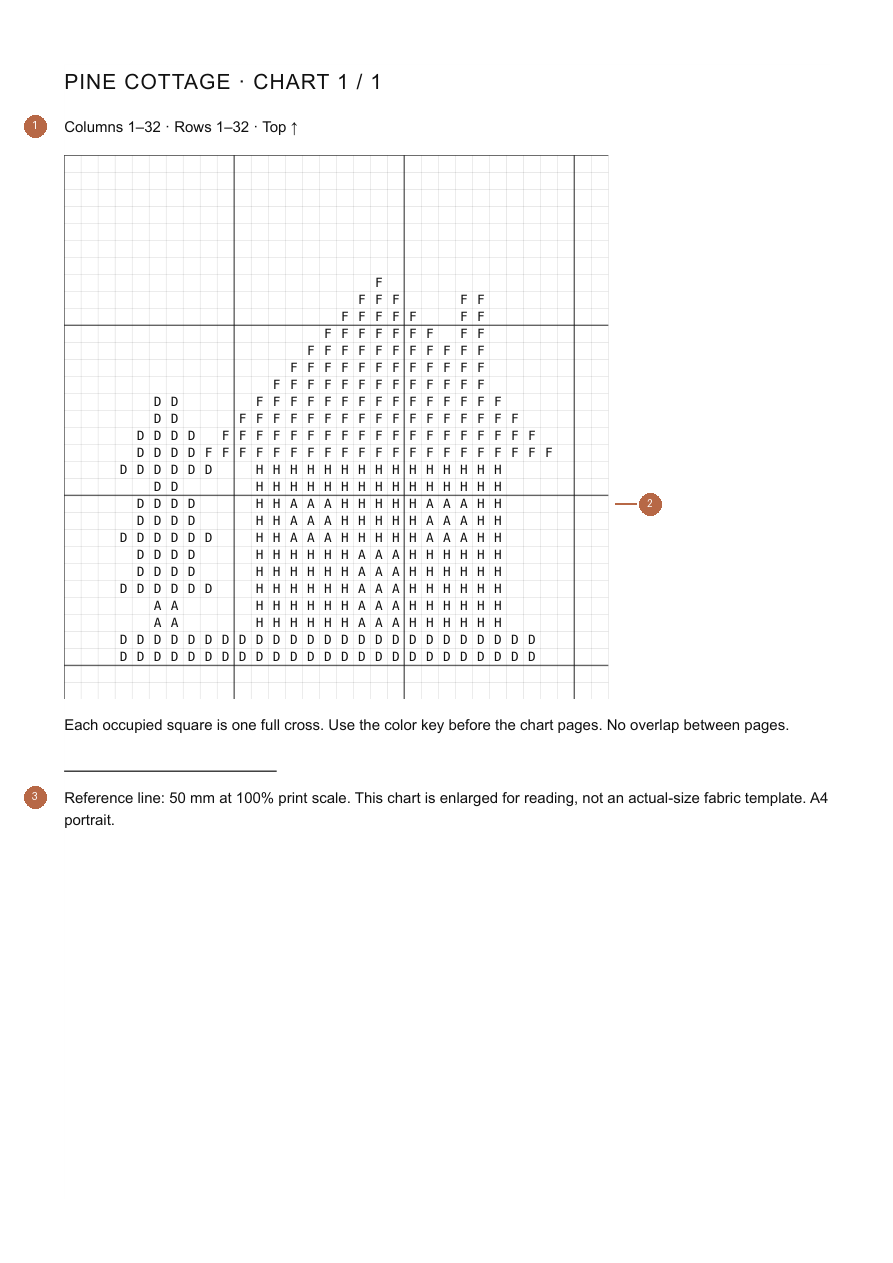
Understand the Grid
Each occupied square in this chart represents one full cross. Empty squares stay unstitched. The sample has 32 columns, 32 rows and 382 occupied squares. This editor does not support fractional stitches, knots or backstitch notation.
Match Symbols to the Color Key
Each symbol maps to one color in the key. For Pine cottage, A is Ink, D is Sage, F is Rose and H is Ochre. The key lists 37, 98, 130 and 117 stitches respectively. Counts are stitches, not thread lengths. Custom colors use hex references; DMC patterns display thread codes.
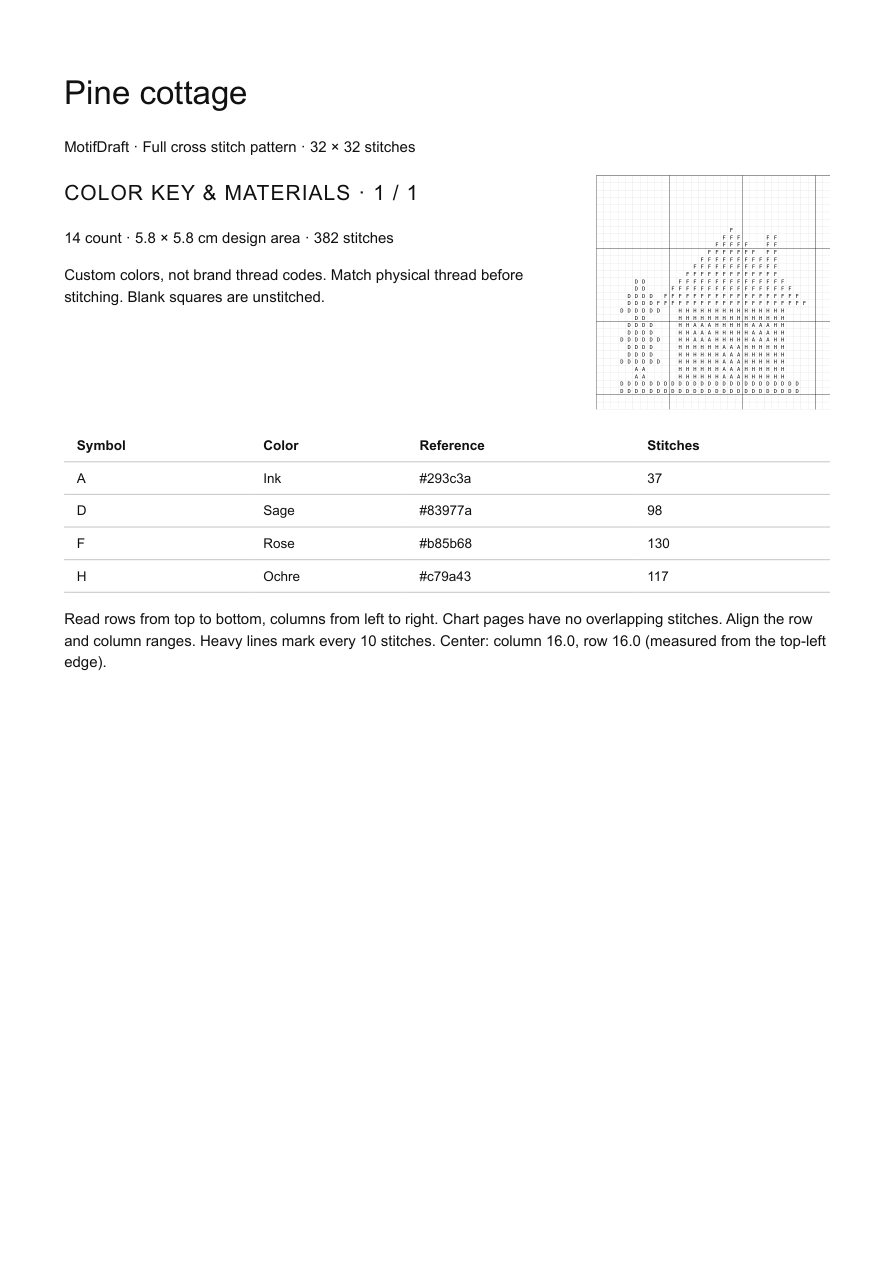
Find the Center and Orientation
Read rows top to bottom and columns left to right. The cover gives the center measured from the top-left edge. This 32 × 32 design is centered 16 squares from either edge, between the middle squares. Heavy lines mark every ten stitches.
Follow Page and Overlap Markers
Chart pages contain up to 40 columns and rows; larger reading cells can reduce that capacity. Follow each page’s exact ranges and the export preview. Pages have no overlapping stitches. For example, if one page ends at column 40, the adjacent section begins at 41. The small downloadable sample fits on one chart page with its saved export settings.
Track Your Progress
Switch to Make mode to lock drawing, choose a row, focus on a color and mark whole rows complete. Drafts and JSON downloads preserve those marks and the current row. Editing a row clears affected completion marks; resizing clears them all. Individual-stitch progress is not recorded. You can also annotate your own paper copy or PDF.
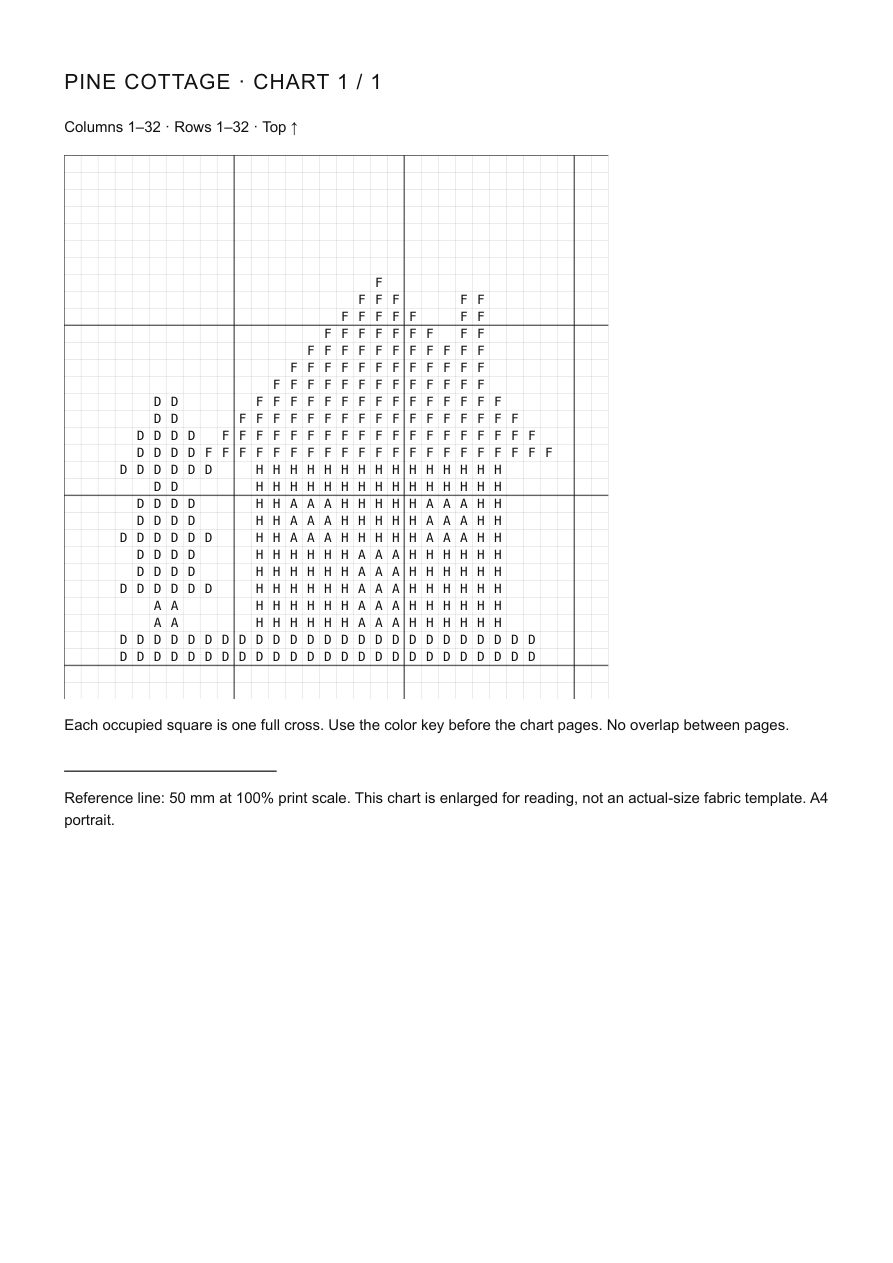
Read the Chart Legend Before Stitching
Check the full-cross notation, color key, fabric count and finished dimensions. Use the 50 mm calibration line to check printing at 100% scale. The chart is enlarged for reading, not a fabric-size template. Add border allowance and test physical thread on a small section first.
Cross stitch Questions
Does each square represent one stitch?
In this full-cross chart, each occupied square represents one full cross. Blank squares are unstitched. Other chart types may use different notation.
Why are both symbols and colors shown?
Symbols distinguish colors that look similar or are difficult to tell apart in print. Use the same symbol-to-color mapping across every page.
How do I join printed pages?
Match the stated row and column ranges. MotifDraft pages do not overlap, so do not repeat edge stitches when moving to the next page.
Practice with a Working Digital Sample
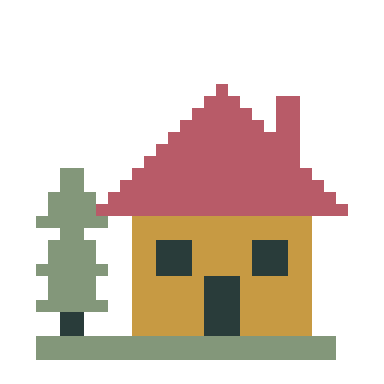
A beginner-friendly pine cottage: 32 × 32 cells, four colors and 382 full crosses, with large connected areas and no isolated stitches. Open the editable chart or download its actual PDF.
Cross stitch Guides & Help
How to Turn a Photo into a Cross Stitch Pattern →
Choose a clear image, crop the subject, set the stitch count and simplify colors before reviewing and printing your chart.
Add Names and Short Messages to Your Pattern →
Preview block lettering, fit it to your chart and preserve the result in any of the five makers.
Save, Back Up and Resume Your Patterns →
Save local or cloud projects, keep editable backups and resume row progress across all five makers.
Choose PDF, PNG or CSV and Check Print Settings →
Pick the right export, match paper settings and review page boundaries before making your project.